How to Stop Wasting Money on Duplicate Sewing Notions
Your fourth spool of Gutermann black thread and your third 14-inch invisible zipper say you need a better notions system. Here's one that works.
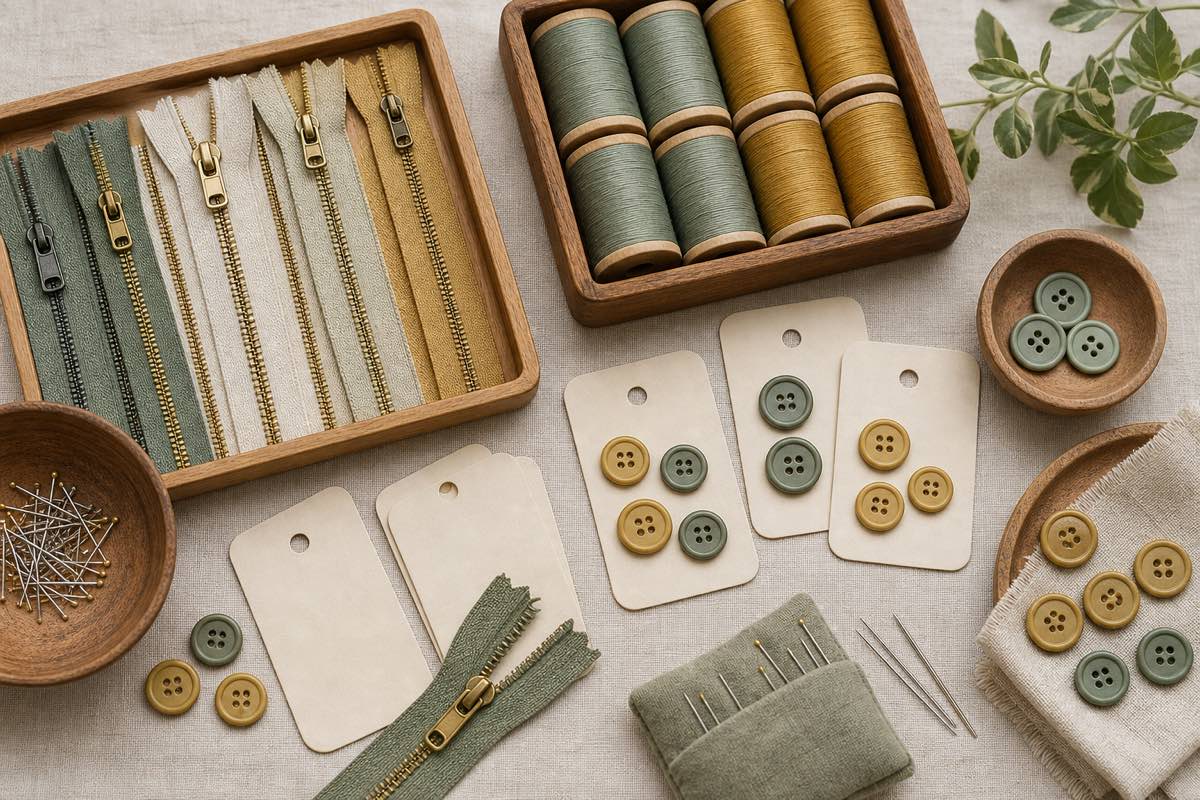
TL;DR. Small notion purchases are invisible until they add up to $200/year. A digital notion inventory tied to your project list catches duplicates before checkout: every project queues required notions, and the Smart Shopping List subtracts what you already own. Sewist Studio's Notions & Tools Tracker and Smart Shopping List do this together.
The universal sewist sin
You're "pretty sure" you're out of Gutermann #000 black thread. Wawak is having a sale. You add a spool. And another, because shipping. The order arrives, you go to the thread drawer, and there are three. You now own four.
The same thing happens with 14-inch invisible zippers, 90/14 universal needles, 1-inch waistband elastic, fusible interfacing, and bias tape. Each purchase feels too small to worry about. The cumulative spend is real.
The hidden cost of hardware
| Notion | Typical price | Annual duplicate spend (conservative) |
|---|---|---|
| Premium thread spools | $4–$7 | $60 |
| Invisible zippers | $3–$5 | $30 |
| Specialty machine needles | $1–$2 each (sold in packs of 5) | $20 |
| Buttons | $0.50–$3 each | $15 |
| Interfacing by the yard | $2–$4/yd | $20 |
| Bias tape, elastic, twill tape | $1–$4/pack | $15 |
That's $160 a year for an active garment sewist, and it scales up if you do quilting, bag making, or specialty crafts. None of these purchases feel painful in the moment, which is why they accumulate.
Why physical organization isn't enough
A pegboard with thread on it is gorgeous. So is a clear bin of zippers sorted by length, or a needle case with each pack labelled. Physical organization solves the "where do I keep this in my sewing room?" question.
It doesn't solve the "do I already own this?" question when you're at the craft store, on Wawak's website at 11pm, or scrolling Etsy notions on your phone. For that you need a portable inventory.
Organizing by type vs. by project
A useful notion inventory supports two access patterns:
- By type — for the browse case. "Show me all my zippers" when you want to see what colors you have on hand.
- By project — for the planning case. "What does this pattern need?" cross-referenced against what you own.
Most spreadsheets only do the first. A purpose-built notion tracker should do both, and the second matters more for stopping duplicates.
The Smart Shopping List loop
The mechanic that actually stops duplicate purchases looks like this:
```text
Project added to queue
↓
Required notions auto-populated from the pattern
(e.g. 22" invisible zipper, 1.5" waistband elastic, 30 m matching thread)
↓
System checks your notion inventory
↓
Only the missing items go on the Smart Shopping List
↓
You shop the list — not your memory
```
This is the difference between "I think I need…" and "I know I'm out of…". Once you trust the list, you stop buying insurance copies.
What to actually track
Don't over-engineer this. The minimum useful fields per notion type:
- Thread — brand, color name, weight (40wt, 50wt), quantity (spools), embroidery vs. all-purpose
- Zippers — type (regular / invisible / separating / metal), length, color, quantity
- Needles — type (universal / ballpoint / stretch / leather), size, pack size remaining
- Elastic / bias tape / twill tape — width, color, approximate yards remaining
- Buttons — diameter, color/material, quantity, the project it was bought for (often you bought 6 for a coat, used 5, and the 6th lives in the button jar)
- Interfacing — type (fusible / sew-in), weight, approximate yards
- Tools — one entry per tool with brand, purchase date, and a photo. Useful when something breaks and you need to reorder the same brand.
Skip SKU numbers, exact yardage to the inch, and color codes. The 30-second add is the only one you'll actually do.
The Sewist Studio Notions & Tools Tracker
Sewist Studio's Notions Tracker handles all of the above:
- Smart Import — drop a photo of your thread rack or zipper drawer and the AI extracts inventory entries in seconds.
- Low-stock alerts — set a threshold per item (e.g. "warn me when I have fewer than 2 spools of black thread") so the alert fires before you run out mid-seam.
- Project linkage — when you plan a project with its required notions, the system cross-references your inventory and adds only the missing items to the Smart Shopping List.
- Embroidery thread filter — tag 40wt embroidery spools separately from 50wt all-purpose so the AI never suggests the wrong thread for a construction seam. See embroidery vs. sewing.
A workflow that stops the bleeding
1. Create your free Sewist Studio account.
2. One Saturday afternoon — log threads, zippers, needles, and interfacing. Use Smart Import where possible.
3. Set low-stock alerts on the consumables you can't afford to run out of: bobbin thread, your two most-used thread colors, universal needles.
4. Plan your next project in the app — let the system populate required notions and check inventory.
5. Only buy what's on the Smart Shopping List. No insurance copies.
Six months in, you'll notice the notion drawer stops growing and the credit card statement stops bleeding $20 here and $30 there.
Frequently asked questions
How do I keep track of zippers and thread?
Digital inventory with quantity, length (zippers) and color (thread). Phone-accessible so you can check from a craft store.
How much money do sewists waste on duplicate notions?
Conservatively $50–$200/year for active sewists.
Should I organize notions by project or by type?
Physical storage by type, digital inventory supporting both.
What is a sewing shopping list?
A running list tied to your project queue that subtracts what you already own.
How does Sewist Studio's notions tracker work?
Log notions, link to projects, get low-stock alerts and a Smart Shopping List that flags only what's missing.
Catalog your notions — free → · Build your Smart Shopping List →