Embroidery vs. Sewing: Organizing a Dual-Craft Workspace
Machine embroidery uses different threads, different stabilizers, and a whole digital library of design files. Here's how to keep it organized alongside your garment sewing supplies.
TL;DR. Machine embroidery and garment sewing share a workspace but use different threads (40wt embroidery vs. 50wt all-purpose), different stabilizers, and a huge library of digital design files (.PES, .DST, .EXP, .JEF) that has no equivalent in garment sewing. Tag threads by type, store designs with previews, and treat them as separate inventories that live in one app. Sewist Studio handles both — see the Embroidery Designs library and the thread inventory with embroidery filters.
The two crafts share a room. They don't share a system.
If you do both garment sewing and machine embroidery, you've felt it: the supplies don't play nicely together. Embroidery thread looks similar to all-purpose thread but behaves nothing like it. Stabilizer rolls take up shelf space but serve no purpose for a regular seam. And the digital design library — hundreds of .PES files saved across a desktop, an old USB stick, and that hard drive in the closet — has no organization at all.
Most sewists end up with two parallel chaoses. One fix isn't to merge them; it's to treat them as two related-but-distinct inventories with clear tags so the right supply surfaces at the right time.
Thread: the chaos starts here
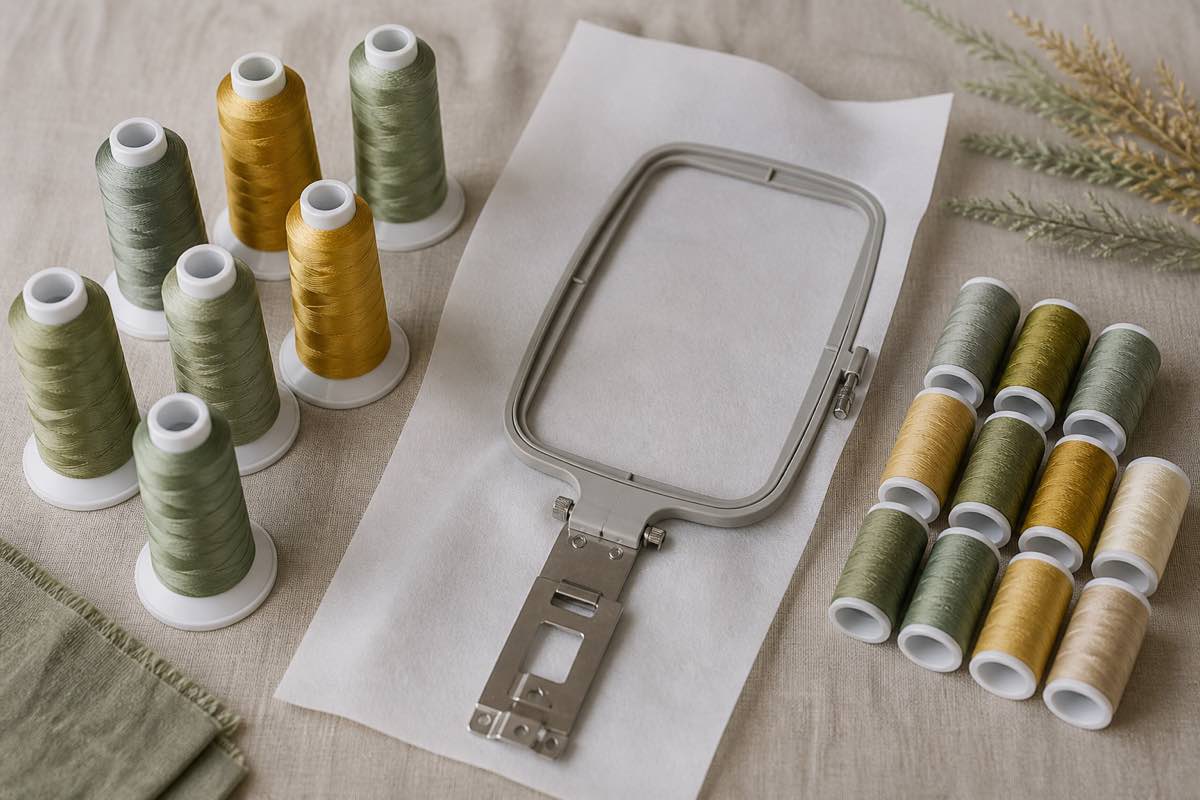
Walk into any embroidery sewist's room and you'll find spools of similar size, on similar racks, looking nearly identical from across the room. They aren't.
| Type | Weight | Fiber | Use |
|---|---|---|---|
| All-purpose sewing thread | 50wt | Polyester (Gutermann, Coats) | Construction seams, garment sewing |
| Machine embroidery thread | 40wt | Rayon or polyester (Madeira, Isacord, Robison-Anton) | Decorative embroidery at high speed |
| Bobbin thread for embroidery | 60–70wt | Polyester (Bobbinfil) | Embroidery bobbin only — finer than all-purpose |
| Heavy / topstitch thread | 30wt or lower | Polyester or cotton | Topstitching, decorative seams, jeans |
| Serger thread | 50wt cone | Polyester | Sergers and coverstitch only |
The three errors that come from mixing them up:
1. All-purpose thread in an embroidery machine = lint buildup, broken threads, dull-looking stitch-out, and damage to the machine's tension assembly over thousands of stitches.
2. Embroidery thread in a construction seam = a seam with shine that doesn't match the fabric, weaker strength on stress points, and visible thread on the right side of the garment.
3. All-purpose thread in the embroidery bobbin = thicker bobbin = thread shows through on the right side of dense designs.
The fix is tagging. Whatever inventory you keep, tag every spool: "All-purpose 50wt", "Embroidery 40wt poly", "Embroidery bobbin 60wt", "Topstitch 30wt". Once tagged, sort/filter so you only ever see the relevant thread for the task.
Stabilizers: the embroidery-only category
Garment sewists don't have an equivalent. Embroidery stabilizers do for embroidery what interfacing does for garments — they support the fabric so it doesn't pucker, distort, or get eaten by the needle.
Three categories cover 95% of use cases:
- Cut-away stabilizer. Permanent. Trim away the excess after stitching. Use for knits, T-shirts, anything stretchy, and dense designs.
- Tear-away stabilizer. Removable. Tear away after stitching. Use for stable wovens (cotton, linen, denim) with medium-density designs.
- Water-soluble (Solvy). Dissolves in water. Use for free-standing lace, monograms on towels, or layered on top of pile fabrics like terrycloth to keep stitches from sinking.
Stock all three in medium weight to start. Add heavy cut-away if you do dense designs on T-shirts, and add adhesive-backed (sticky) tear-away if you hoop a lot of small items.
Inventory tip: stabilizer rolls hide in cabinets. Tag them in your inventory with type, weight, width, and approximate yards remaining, and the AI project planner will know whether you can start a design today without a craft store run.
Digital file chaos: the .PES, .DST, .JEF, .EXP problem
The embroidery design library is the silent disaster zone. A typical sewist accumulates hundreds of designs over a few years:
- Purchased from indie designers (Etsy, Embroidery Library, Urban Threads)
- Free downloads from machine manufacturers and design sites
- Bundled freebies from machine purchases
- Custom designs they digitized themselves
Each design ships as multiple file formats — `.PES` for Brother, `.DST` for Tajima/commercial, `.JEF` for Janome, `.EXP` for Bernina, `.VP3` for Husqvarna — usually inside a ZIP. By year three, the desktop has 47 folders named "embroidery designs", "embroidery designs 2", "embroidery designs new", "embroidery designs FINAL". Most of them aren't searchable. None of them have visible previews unless you open them in embroidery software.
The fix is mostly discipline plus a previewer:
1. One folder per design — not per purchase. If a designer sold you a bundle of 6 monograms, that's 6 folders.
2. Naming convention — DesignName_HoopSize_Stitches. Example: `OakLeaf_4x4_8200st`. The hoop size and stitch count tell you at a glance whether the design fits your machine and how long it'll take.
3. Keep every file format in the folder. You may switch machines or send the file to a friend with a different machine.
4. Cloud backup. External drives die. Cloud doesn't. Sync the master folder to Drive, Dropbox, or iCloud.
5. Use a previewer. Either dedicated software (Embrilliance, Wilcom TrueSizer) or the embroidery file viewer in Sewist Studio — drag in a .PES or .DST and the system renders a PNG preview so you can browse like an image library.
The Sewist Studio dual-craft setup
Sewist Studio was built for garment sewists, but the inventory model handles embroidery without forcing you into a separate app.
Threads — every spool you add can be tagged with weight (40wt, 50wt, 60wt), fiber (rayon, polyester, cotton), and category (all-purpose, embroidery, bobbin, topstitch). When the AI project planner suggests projects, it only pulls threads in the right category. Filter the thread inventory to "embroidery only" and you get just your decorative spools.
Embroidery Designs library (Pro) — upload .PES, .DST, .EXP, or .JEF files and the system parses them into PNG previews so you can browse designs as images. Each design entry tracks hoop size, stitch count, color sequence, designer credit, and links to your purchase receipts.
Stabilizer inventory — store stabilizers under Notions & Tools with type, weight, and approximate yardage. Low-stock alerts work the same as on thread and interfacing.
Machine profiles — tag each machine in your Machine Tracker as sewing, embroidery, serger, coverstitch, or combo. Maintenance logs are separate per machine, so a 200-hour-old embroidery machine doesn't share the needle counter of your daily sewing machine.
Projects — a single project card on the Kanban can link both: the sewing pattern + the embroidery design + both threads + the stabilizer + the fabric. Everything in one place when it's time to start.
A starter setup for dual-craft sewists
1. Create your free Sewist Studio account.
2. Tag every thread spool with weight and category as you enter inventory. Use the embroidery filter to confirm you have the right thread for an upcoming design.
3. Upload your 10 most-used embroidery designs to the Designs library (Pro) so you can browse them visually.
4. Add your stabilizers as notions with rough yardage. Set low-stock alerts.
5. Profile each machine — sewing, embroidery, serger — with manual links and maintenance logs.
Once it's set up, the room stops being a chaos of two crafts and becomes a workspace that knows which is which.
Frequently asked questions
What's the difference between embroidery thread and sewing thread?
40wt rayon/poly with sheen for decorative embroidery vs. 50wt polyester matte for construction seams. Don't mix them.
How do I organize embroidery design files?
One folder per design, named DesignName_HoopSize_Stitches, with every file format inside, backed up to cloud.
Can I use the same machine for sewing and embroidery?
Combo machines exist, but dedicated embroidery machines have larger hoops and more memory. Many sewists own both.
What stabilizers do I need?
Cut-away for knits and dense designs, tear-away for stable wovens, water-soluble for lace and pile fabrics.
Does Sewist Studio handle both sewing and embroidery inventory?
Yes. Threads, machines, and notions are tagged by craft, and the Pro Embroidery Designs library parses .PES and .DST into previews.