How to Keep a "Sewing Journal" (And Why It Will Improve Your Garments)
You want to sew that dress again, but you can't remember if you lengthened the bodice 1" or 2". A sewing journal solves this problem permanently.
TL;DR. Your fit adjustments are useless if you can't remember them. A sewing journal records every alteration, machine setting, and construction note per project so version 2 starts where version 1 ended. Paper notebooks work but don't search. Sewist Studio's Kanban Project Board keeps a journal entry per project linked to the pattern and fabric you used.
The dress you can't repeat
You spent two months perfecting a dress last summer. It fits beautifully. You want to sew it again in a different fabric. You pull out the pattern and freeze: did you lengthen the bodice 1" or 2"? Was the FBA done at the standard apex or did you move it down half an inch? Did you take in the side seams or just adjust the waist darts?
You don't remember. You start the fitting process from scratch. The second dress takes another two months, and now the original alterations are even further out of mind.
Why mental notes fail
Garment construction is dense. A finished dress can include:
- 4–8 fit adjustments (FBA, sway back, shoulder slope, length adjustments, dart positions)
- 2–3 fabric-specific machine setting choices (tension, stitch length, needle type)
- A handful of construction substitutions (French seams instead of serged, hand-picked zipper instead of machine-set)
- Optional details (a lining you drafted, a pocket placement adjustment, a sleeve binding)
Two months later, none of those are retrievable from memory. By project number five, they actively interfere with each other ("did I do the sway back on this one or the linen dress?").
The journal isn't a luxury. It's the only way to compound improvements over time.
What goes into a good project log
A useful journal entry per project includes:
| Section | Detail |
|---|---|
| Pattern | Name, designer, size cut, view (A/B/C) |
| Fabric | Source, fiber, yardage used, pre-wash treatment, swatch (paper) or photo (digital) |
| Dates | Start, finish, hours of active work (rough) |
| Fit adjustments | Each one with measurement and location (e.g. "FBA +1", apex lowered 0.5"") |
| Machine settings | Tension, stitch length, needle type/size, presser foot, any specialty stitches |
| Construction notes | Substitutions, gotchas, things to do differently next time |
| Finished photos | Front, back, side. On a hanger or on the body. Phone photos are fine. |
| Wear notes | How it's holding up after 5 wears, 10 wears, a wash cycle |
The construction notes section is the most underrated. "The instructions for inserting the welt pocket are wrong on page 14, use the YouTube tutorial linked in the pattern's resource page instead" — that's a 30-minute time save next time.
Paper vs. digital journals
Both work. The trade-offs:
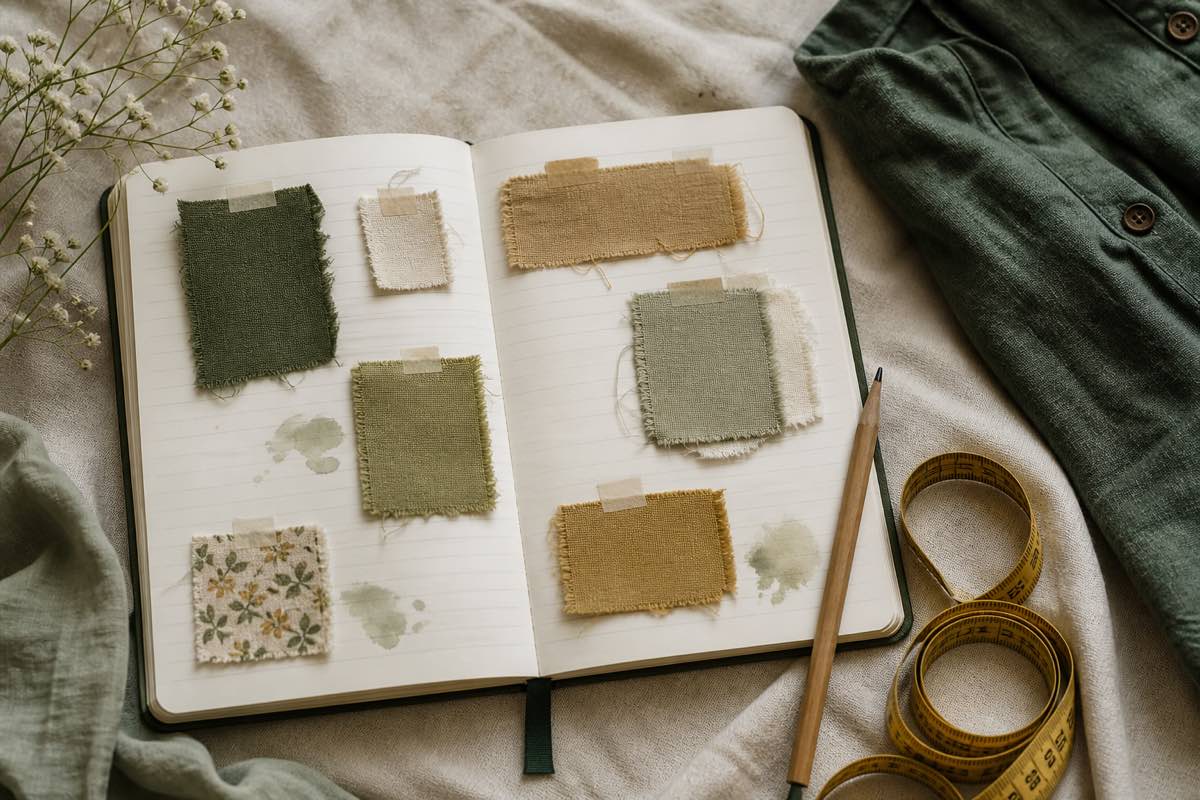
Paper. A beautiful Moleskine with washi-taped swatches feels right and you'll show it off to other sewists. It doesn't search ("which projects used a 70/10 microtex?"), doesn't sync to your phone at the cutting table, and gets thrown away in a flood. Best for sewists who already journal in other parts of their life.
Digital. Searchable, syncs everywhere, links to inventory, never gets lost. Doesn't hold a physical swatch — though a phone photo of the fabric is close. Best for sewists who already use apps for productivity. The Sewist Studio Kanban Project Board is built around this model.
The right answer is whichever one you'll actually keep up with. A half-filled-in beautiful notebook is worse than a complete digital project list.
A minimal viable journal entry
You don't need to write an essay. A useful entry is 5 fields and takes 3 minutes:
```text
Pattern: Hinterland Dress, size 12, View A
Fabric: 3 yd cotton lawn from Stonemountain, pre-washed warm
Adjustments: FBA +1.5", bodice length +1", swayback 0.5"
Settings: Tension 4.0, stitch 2.5, 80/12 universal needle
Notes: Hem allowance too generous, take down to 1" next time.
Buttonholes worked better with stabilizer underneath.
```
That's it. Five minutes once the project is done, useful for the rest of your sewing life.
The Sewist Studio project journal
Sewist Studio's Projects page is built as a Kanban board (Wishlist → Planned → Cutting → In Progress → Finished), but each card is also the journal entry:
- Linked pattern + fabric from your inventory, so you don't re-type names or yardages.
- Notes field for fit adjustments, machine settings, and construction notes. Markdown-friendly, never auto-formats your dimensions weirdly.
- Photo attachments for in-progress and finished shots.
- Status timeline so you can see when a project moved between stages — useful for estimating how long similar projects take.
- Cross-referenced with the pattern record's cut history, so "I've sewn this pattern 3 times" surfaces with notes from each version.
For the broader project-management view (UFOs, WIPs, queue planning), see the project tracker guide. For the journal-as-improvement-tool angle, the same Kanban card does both jobs.
A workflow that compounds
1. Create your free Sewist Studio account.
2. For your next project, open a card before you cut. Pre-fill pattern, size, and fabric.
3. After fitting, write down every adjustment with the measurement. 60 seconds.
4. Note machine settings the first time you sew a new fabric type. Reuse the entry next time.
5. At finish, add 3 photos and 2 sentences about what went well and what to do differently.
6. Before sewing the same pattern again, open the old card. Apply the adjustments without re-discovering them.
After ten projects, the journal becomes the most-consulted document in your sewing room.
Frequently asked questions
What should I write in a sewing journal?
Pattern + size, fabric, dates, every alteration with measurements, machine settings, construction notes, finished photos.
Paper or digital?
Whichever you'll keep up with. Paper holds swatches; digital searches.
How does a journal improve fit?
Fit adjustments compound. Recording them means version 2 starts where version 1 ended.
What machine settings should I record?
Tension, stitch length, stitch type, needle type and size, presser foot. Per fabric.
How does Sewist Studio replace a sewing journal?
Kanban project cards link pattern + fabric + notes + photos, all searchable.