"Do I Have Enough Fabric?" How to Digitally Catalog Your Fabric Stash
The perfect linen at the fabric store, but you can't remember if you already own three yards at home. Here's how to stop guessing.
TL;DR. You're standing in front of a beautiful linen at the fabric store. You think you might already own something similar. You can't remember. So you buy it anyway, get home, and discover three yards in the closet. The fix is a digital fabric stash with photos, yardage, width, fiber, and pre-wash status — accessible from your phone. Sewist Studio's Fabric Inventory handles this in 30 seconds per piece.
The fabric-store paralysis
It happens to every sewist. You're at the cutting table, the bolt is gorgeous, the price is good, and your brain says "wait — don't I already have something like this?" You can't remember. The line behind you is growing. You buy two yards just in case.
You get home. You have three yards of nearly the same fabric in the closet. You've now spent $40 on insurance against your own memory, and you've added to a stash that already needs sorting.
The trap of SABLE
SABLE — Stash Accumulation Beyond Life Expectancy — is the sewist's running joke about owning more fabric than you can sew in a lifetime. It's funny because it's universal. The deeper problem isn't volume, though; it's invisibility. Fabric you forgot about is fabric you'll re-buy. Forgotten stash becomes guilt, then clutter, then a giveaway pile at the next sewing meetup.
The Marie Kondo answer is "discard ruthlessly." The realist answer is "make it visible." See decluttering your fabric stash for the discard side; this post is about visibility.
Spreadsheets vs. visual tracking
Some sewists swear by a spreadsheet. For under 20 pieces it works. Past that it fails for one reason: fabric is visual and tactile. The row "navy cotton, 3 yards, 45" wide" doesn't tell you whether it's the smooth Japanese-import navy cotton sateen, the brushed navy cotton lawn, or the lightweight navy cotton voile — and all three of those drape, sew, and look completely different.
A spreadsheet entry without a photo answers "do I have navy fabric?" but not "do I have the right navy fabric for this dress?" The second question is the one you actually have at the store.
The anatomy of a perfect fabric log
Every piece needs:
| Field | Why |
|---|---|
| Photo | Visual identification. Color is hard to describe accurately. |
| Yardage | The "do I have enough?" answer. |
| Width | 45" vs. 60" doubles your effective yardage. |
| Fiber content | Cotton, linen, polyester, blend — drives care and project suitability. |
| Stretch | None / 10% / 25% / 50% / 4-way. Determines whether knit patterns work. |
| Pre-wash status | Washed once / not pre-washed / dry clean only. |
| Source + price | For cost-per-project tracking and reorder reference. |
| Project plan | Optional — if you bought it for a specific pattern, link them. |
Skip the rest. Color name, vendor SKU, fiber weight in gsm — nice to have, never essential. Optimize for the 30-second photo + log workflow or you'll never actually catalog anything.
How to catalog 50 pieces in an afternoon
1. Pull every fabric out of bins, closets, and the back of the linen cupboard.
2. Sort into piles by approximate fiber/weight: wovens, knits, linens, specialty (silk, denim, fleece).
3. Set up a photo spot — a hardwood floor or a plain dining table near a window. No styling. One fabric, one photo.
4. Snap, fold, log. Photo with your phone, fold the fabric, log yardage + width + fiber + stretch + pre-wash in your app. 30 seconds per piece, including the fold.
5. Stack chronologically as you go and put back in bins.
A 50-piece stash takes about 90 minutes start to finish. After that, you log new fabric the day you buy it — two more minutes.
The Sewist Studio fabric inventory
Sewist Studio's Fabric Inventory handles the workflow above on your phone or laptop:
- Snap directly from your phone camera. No transfer step.
- Length × width tracking. Log multiple cuts of the same fabric separately — a 3-yard parent piece and the 1.2-yard leftover after cutting a top become linked entries, so you always know what's actually usable.
- Pre-wash flag. Toggle on when you've washed it. Critical for natural fibers that shrink 5–10%.
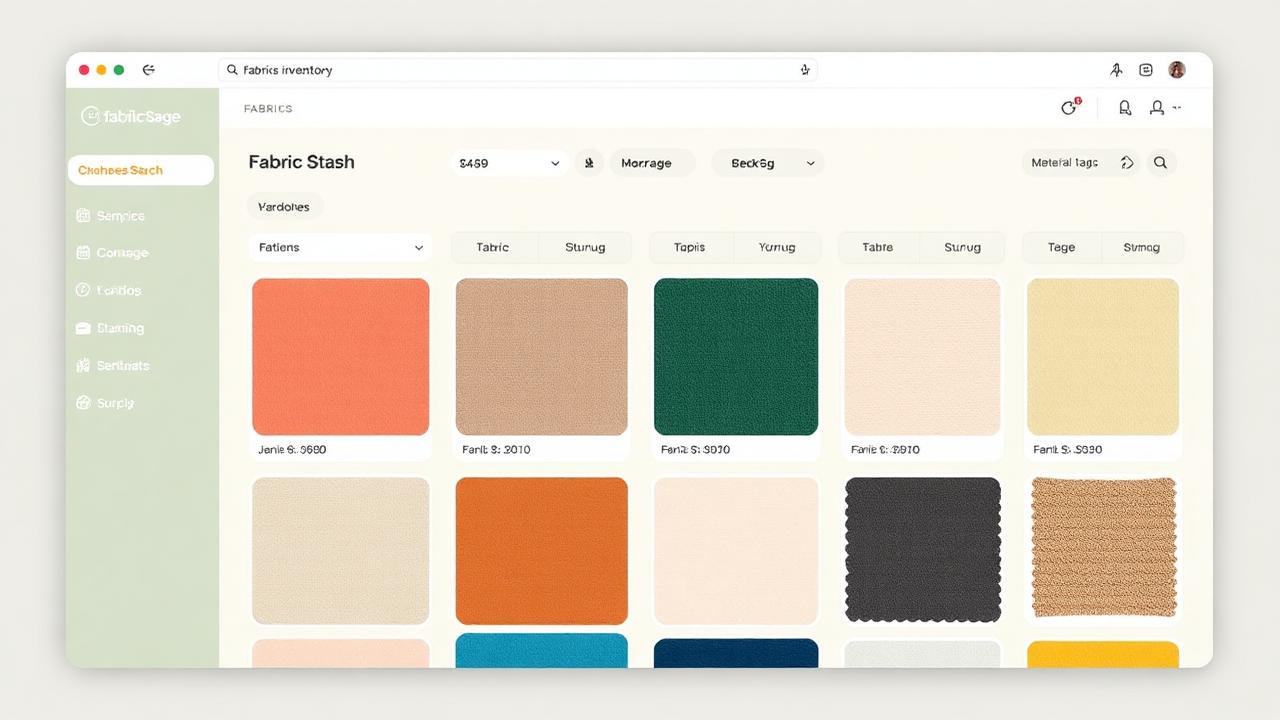
- Search and filter. "Show me all wovens, navy, 60" wide, over 2 yards." Answers the fabric-store question in 5 seconds.
- Photo-first browse. Visual grid by default. You think in pictures.
- AI project suggestions (Pro) — the AI stash planner suggests projects you can sew from what you already own.
A starter checklist
1. Create your free Sewist Studio account.
2. Log your 5 most-loved fabrics first. Confirm the workflow feels fast.
3. Block an hour to log the next 20. Put on a podcast.
4. Set a rule: every new fabric purchase gets logged the day it comes home. No exceptions.
5. Use the app at the fabric store. Before you buy, search your stash. If you have it, walk away.
After two months, you'll stop guessing at the cutting table and start buying with intent.
Frequently asked questions
What's SABLE?
Stash Accumulation Beyond Life Expectancy — sewist slang for owning more fabric than you can ever sew.
Is a spreadsheet enough to track fabric?
Under 20 pieces, yes. Past that you need photos because fabric is visual.
How do I measure fabric I bought years ago?
Lay it flat, measure along the grain. See the yardage guide.
How do I take fabric inventory fast?
Photo + yardage + width + fiber + stretch + pre-wash. 30 seconds per piece. Skip the rest.
How does Sewist Studio's fabric inventory work?
Photo, log on phone, search and filter from anywhere. Pre-wash flag and length × width tracking included.